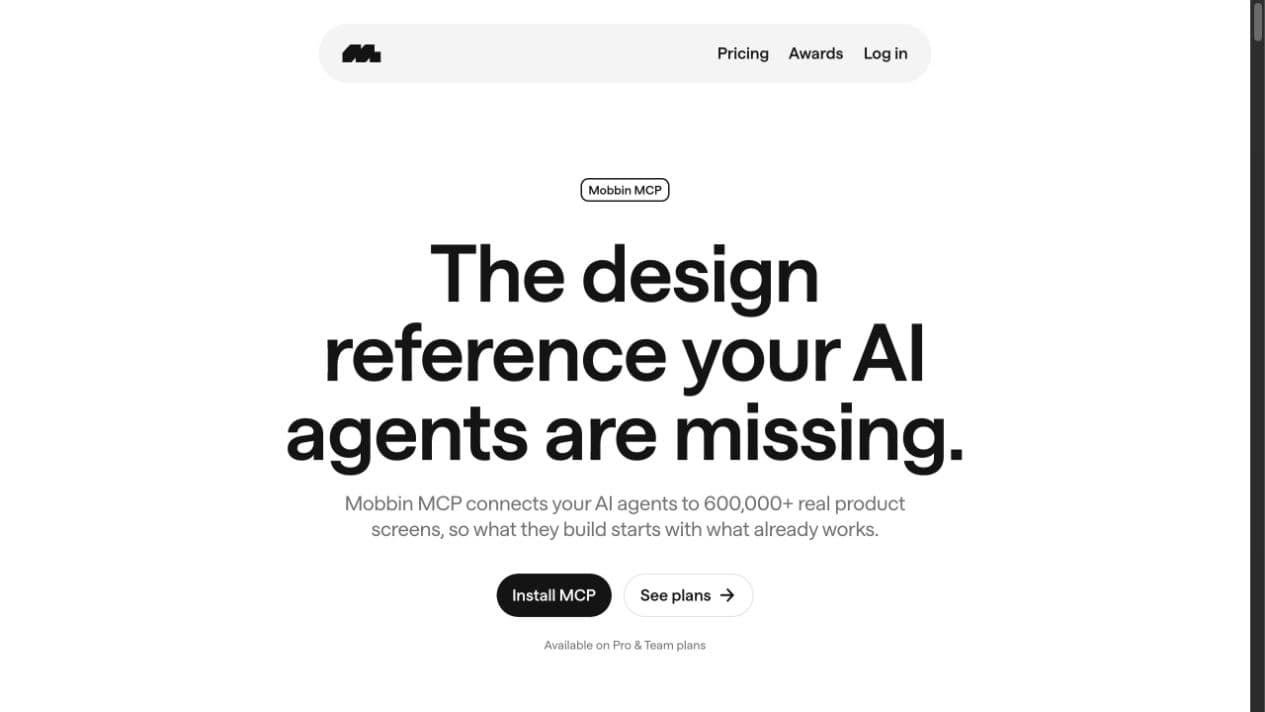
Mobbin MCP gives Codex access to a searchable library of real product screens and flows. Instead of asking an AI coding agent to invent a generic interface, I can ask it to find relevant shipped patterns, compare how different products solve the same problem, and use those references to make a better implementation plan.
Quick setup: run
codex mcp add mobbin --url https://api.mobbin.com/mcp, thencodex mcp login mobbin. Mobbin opens an OAuth authorization flow in the browser, so there is no API key to paste into Codex. MCP access is available on Mobbin's paid plans.
Referral disclosure: this article includes my Mobbin referral link. If you become a qualifying paid customer through it, I may receive a reward from Mobbin. You can check the currently verified offer and eligibility in my Mobbin referral code and 10% offer.
Why Mobbin MCP changes the prompt
A prompt such as build a modern onboarding flow leaves nearly every meaningful decision unresolved. How many steps should there be? When should the product ask for an account? Should it explain the value first, collect preferences, or take the user directly to the product? What does progress look like? What happens when the user skips a step?
A coding agent can produce plausible answers, but plausible is not the same as deliberate. Mobbin MCP lets the agent retrieve real screens and ordered flows through natural-language searches. That turns the conversation from invent something that looks right into compare several relevant approaches and explain which one fits this product.
The distinction matters. I do not use Mobbin as a catalog to copy from. I use it as evidence: a fast way to see the sequence, hierarchy, interaction patterns, and microcopy that shipped products use before I decide what belongs in my own implementation.
How to connect Mobbin MCP to Codex
Mobbin's official Codex CLI setup has two commands:
codex mcp add mobbin --url https://api.mobbin.com/mcp
codex mcp login mobbin
The second command opens Mobbin in your browser for OAuth authorization. Once authorized, start a fresh Codex session so the Mobbin search tools are available.
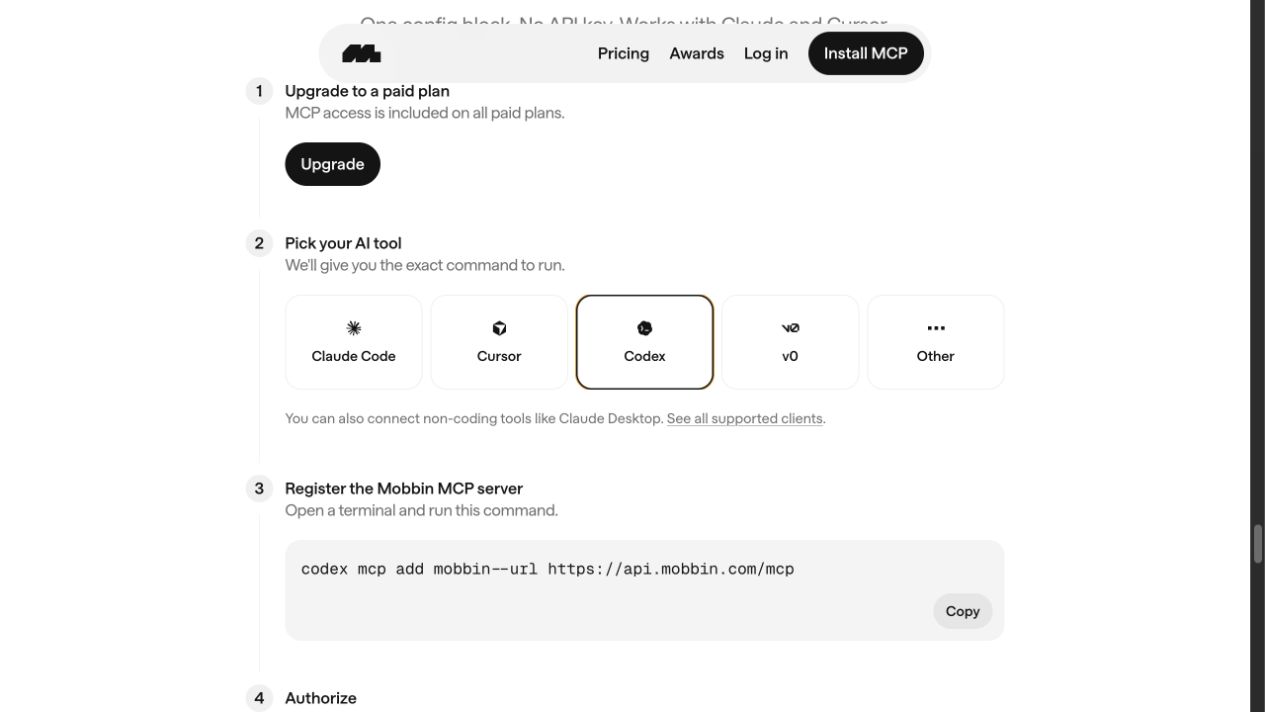
Mobbin's Codex setup screen, captured July 14, 2026. The official guide also documents the separate login command.
The Codex desktop app follows a different connection path. Mobbin's documentation says the app shares credentials with ChatGPT, so you connect Mobbin in ChatGPT first and the integration becomes available to Codex. In either case, the important part is the same: the agent receives Mobbin search tools and can return relevant visual references inside the task.
My practical Mobbin-to-Codex workflow
The useful workflow is not search, pick the prettiest screen, copy it. I use five steps.
1. Define the product decision
Start with the decision you need to make, not an aesthetic adjective.
Weak prompt:
Find modern finance app inspiration.
Better prompt:
Search Mobbin for iOS personal-finance onboarding flows that ask about goals, explain the product's value, and lead into initial account setup. Return three distinct approaches and compare their sequence, progress feedback, and commitment points.
The better version describes one journey, the important steps, the platform, and the comparison criteria. That gives the search a clear job.
2. Search one journey at a time
Mobbin exposes different kinds of references: individual screens, multi-step app flows, and website sections. Use the smallest one that matches the decision.
- Search screens for a focused state such as an empty dashboard, paywall, permission prompt, or error message.
- Search flows when order and transitions matter, such as onboarding, checkout, cancellation, or account recovery.
- Search website sections for marketing-page patterns such as pricing tables, social proof, feature comparisons, or FAQ sections.
Avoid combining unrelated journeys into one request. Searching onboarding, checkout, settings, and notifications together produces a pile of references instead of a useful comparison.
3. Compare patterns, not brands
For this guide I asked Mobbin for personal-finance onboarding with personalization, account setup, and a first dashboard. The search returned three useful but different references:
- YNAB's 20-screen account setup uses a long, guided narrative. It asks why the user came to the product, teaches the budgeting model, and gradually builds a personalized plan.
- Monarch's five-screen account setup places setup inside the dashboard as a checklist. The user sees the product early and can complete account linking, categories, goals, and a budget progressively.
- Rocket Money's 10-screen onboarding is shorter and goal-led, asking what the user wants to save for before collecting basic identity details.
The useful output is not that one of these is universally best. It is the tradeoff: YNAB spends more time building understanding, Monarch reduces the distance to the product, and Rocket Money keeps the initial commitment relatively light. That comparison gives me options I can evaluate against the product I am actually building.
4. Translate references into constraints
After comparing references, ask Codex to produce implementation constraints rather than a visual imitation. For example:
- Show progress when onboarding contains more than a few committed steps.
- Ask only questions that materially change the next screen or the initial product state.
- Explain why sensitive information is needed before requesting it.
- Preserve a clear exit, skip, or resume path.
- Design loading, empty, validation, and failure states alongside the happy path.
- Use the existing design system instead of importing another product's visual language.
These constraints are reusable. They preserve the reasoning behind the references without reproducing another company's interface.
5. Implement and verify the complete story
Only then do I ask Codex to inspect the repository and propose changes. A good implementation prompt includes the selected patterns, the product-specific constraints, the files or routes in scope, and the verification required.
For example:
Inspect the existing onboarding route and design system. Propose a four-step onboarding flow that uses progressive disclosure and visible progress, but keeps our existing typography, colors, and components. Include validation, back navigation, resume behavior, analytics events, and a Playwright verification plan. Do not implement until the plan accounts for each existing state.
Mobbin supplies the reference layer. The repository, product requirements, and tests still determine what should be built.
Prompts worth trying
Mobbin's own MCP page demonstrates that useful searches can be very concrete: permission prompts, checkout comparisons, bottom sheets, signup drop-off, and 404 pages with personality.
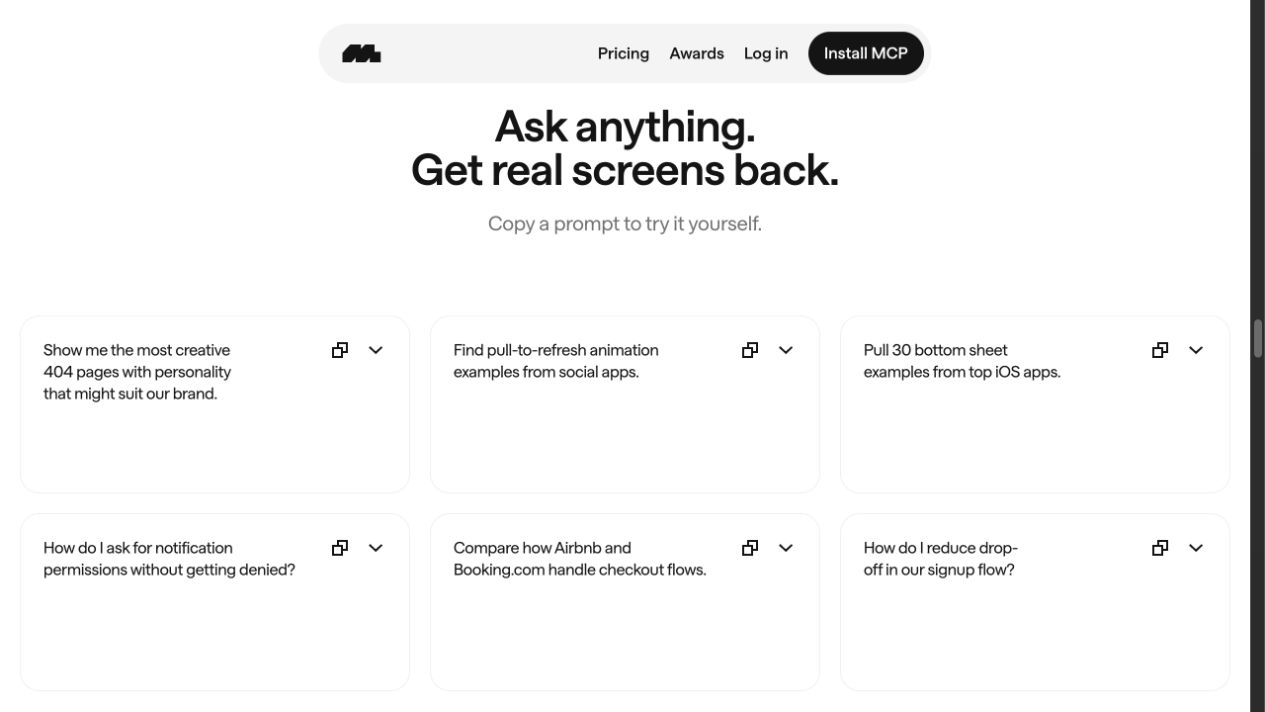
Prompt examples on Mobbin's MCP page, captured July 14, 2026.
Here are five prompts I would use in real product work:
Compare an onboarding journey
Search Mobbin for iOS onboarding flows that personalize the experience before account creation. Return three approaches, link every flow, and compare the sequence, progress pattern, skip behavior, and final handoff into the product.
Design a paywall without dark patterns
Find iOS subscription paywalls that explain value clearly, show billing terms near the CTA, and provide a visible dismissal path. Compare the information hierarchy and risk-reversal copy.
Improve an empty state
Find web app empty dashboards that help a new user complete one meaningful first action. Compare the primary CTA, supporting explanation, and whether setup progress is shown.
Audit a permission request
Find iOS notification permission screens that explain the benefit before triggering the system prompt. Identify the pre-permission copy, timing, and alternatives when the user declines.
Turn research into an implementation brief
Use the strongest patterns from these Mobbin references to write an implementation brief for this repository. Separate reusable UX principles from brand-specific visuals, preserve the existing design system, and list the states and tests the implementation needs.
What Mobbin MCP is good at
Mobbin MCP is most valuable when the problem has a recognizable interface pattern but many possible executions. Onboarding, authentication, checkout, subscription, KYC, search, settings, permissions, and empty states all benefit from seeing several shipped approaches quickly.
It also reduces context switching. I can research inside the same conversation where Codex is already inspecting the codebase, then turn the findings into a scoped plan. That is faster than collecting screenshots manually, pasting them into a board, and rewriting their implications in a separate engineering ticket.
What it does not replace
A large reference library does not tell you what your users need. It does not replace interviews, analytics, accessibility work, domain requirements, or usability testing. It can also create false confidence if you treat frequency as proof: a pattern appearing in many products does not automatically make it right for yours.
The safest rule is to use Mobbin to expand and compare options, then use product evidence to choose. Copying a shipped screen without its business model, user context, and constraints is still guessing.
Is Mobbin worth paying for if you use Codex?
It is easier to justify when interface research is a recurring part of your work. Designers, design engineers, front-end developers, mobile developers, product managers, and founders can all benefit when they regularly need to understand how complete flows work—not merely how one attractive screen looks.
If you only need occasional visual inspiration, the free experience may be enough. If you repeatedly build product flows with AI coding agents, MCP access makes the paid plan more useful because Mobbin becomes part of the implementation workflow rather than another tab you have to remember to open.
You can open Mobbin with my referral link or review the current Mobbin referral code and 10% offer before choosing a plan. Always confirm the final offer and billing terms on Mobbin because pricing and referral programs can change.
Frequently asked questions
Does Mobbin MCP work with Codex?
Yes. Mobbin publishes setup instructions for both Codex CLI and the Codex desktop app. The CLI connects directly through Mobbin's MCP endpoint; the desktop app uses the Mobbin connection shared with ChatGPT.
Do I need an API key?
No. Mobbin MCP uses OAuth with the Streamable HTTP transport. Your MCP client opens the authorization flow in a browser. Mobbin's separate REST API uses API keys, but that is not required for the Codex workflow in this guide.
Do I need a paid Mobbin plan?
Yes. Mobbin's MCP documentation lists Pro, Team, and Enterprise as supported plans.
Can Codex see the images returned by Mobbin?
Yes. Mobbin says its MCP responses return screen images inline for AI consumption, along with the relevant result data.
Is using Mobbin the same as copying another product?
No—if you use it as research. Compare multiple references, identify the underlying principles, then adapt those principles to your users, content, design system, and technical constraints. A reference should inform the decision, not become the finished design.